

BLOG
Your HubSpot Customer Portal Isn't HIPAA-Ready. Here's the Fix.
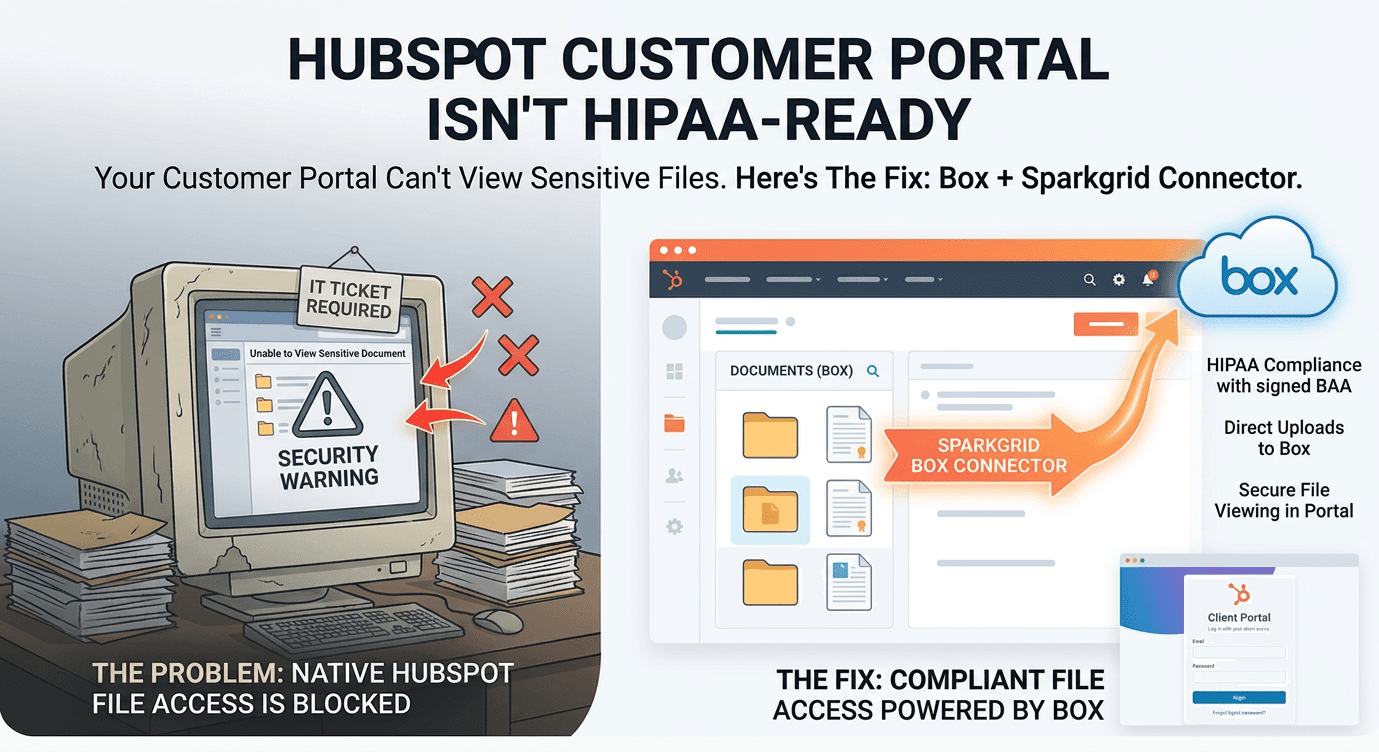


If you've configured Sensitive Data in HubSpot and then tried to actually use the Customer Portal for anything regulated, you've probably hit the same wall a lot of our customers have: it doesn't work the way you'd expect.
HubSpot's own documentation is blunt about it — once Sensitive Data settings are turned on, attachments sent through HubSpot can't be accessed outside of HubSpot. In practice, that means customers can't view sensitive files in the Customer Portal at all. Not "with extra steps." Not "if you configure it a certain way." Blocked, by design.
That's not a bug. It's a boundary HubSpot has deliberately drawn, and it's one of several. Sensitive Data is explicitly unsupported in chatbots, live chat, personalization tokens, playbooks, and sandboxes. Call recordings and transcripts containing PHI can't be stored even with a signed BAA in place. And the Business Associate Agreement itself only extends to a defined list of "covered services" — it's guardrails, not a blanket green light to put protected information anywhere in your portal.
So if you're a healthcare provider, a legal practice handling privileged documents, a financial services firm, or any business collecting anything regulated, and you want customers to securely exchange files through a branded self-service portal — HubSpot alone won't get you there.
This is exactly the gap our Box Connector, paired with our HubSpot CMS module, was built to close.
The Core Problem: HubSpot Wasn't Built to Store What You're Being Asked to Store
Every workaround for this problem starts from the same flawed assumption: that the sensitive file or field needs to live inside HubSpot in order for the portal experience to feel native. Once you make that assumption, you're stuck. You either:
Restrict the Customer Portal to non-sensitive tickets only, and push clients back to email attachments and phone calls for anything real (the exact friction a self-service portal was supposed to eliminate), or
Try to force sensitive files through HubSpot's file manager anyway, which creates real exposure — HubSpot's own community has years of threads flagging that files in File Manager can be indexed, crawled, and shared more broadly than teams realize.
Neither is a real answer. The better question isn't "how do we get HubSpot to store this safely?" It's "why does HubSpot need to store it at all?"
The Fix: Let HubSpot Be the Interface, Let Box Be the System of Record
Box is FedRAMP High authorized, supports HIPAA with a signed BAA, and is built from the ground up to be the compliant home for regulated files. HubSpot, outside of a narrow set of covered services, isn't. So instead of trying to stretch HubSpot's compliance boundary to cover file storage, our approach draws the line where it already naturally sits: HubSpot never stores the file. It never even touches it.
Here's how that plays out with the Box Connector and our HubSpot CMS module together:
1. A branded portal, built on HubSpot CMS
Using our CMS module, you drop a Box-powered file component directly onto a HubSpot Content Hub page — the same membership-gated pages your Customer Portal or client-facing site already runs on. An admin configures it once: which Box folder structure it maps to, what upload/download permissions apply, and how it ties back to the associated HubSpot record.
2. Authentication without duplication
Customers log in the way they already do — through HubSpot's membership/contact authentication. There's no separate Box account to provision, no guest license to manage, no second password to remember. The module handles the handoff behind the scenes.
3. Files move directly to and from Box — not through HubSpot's backend
This is the part that actually solves the compliance problem. When a customer uploads a document, it doesn't land in HubSpot's file manager and then get relayed to Box. It goes straight into Box, using Box's own security and permissioning, scoped to that customer's folder. Downloads work the same way in reverse. HubSpot renders the interface and manages who's allowed to see what — but the file payload itself never round-trips through HubSpot's servers, storage, or backups.
That distinction matters enormously the moment an auditor or a 3PAO assessor asks where PHI is "processed." A system that only ever renders a UI frame around someone else's compliant storage is in a fundamentally different position than a system that ingests, stores, and re-serves the file itself — even briefly.
4. Full Box-grade audit trail, automatically
Every upload and download inherits Box's file-level permissions, classification, and activity logging. You're not building access logging from scratch or hoping a HubSpot workflow fires correctly every time — Box was already doing this before you built anything.
What Customers Actually Experience
None of this compliance architecture is visible to the person using the portal, which is the point. From their side:
They log in once, through your branded HubSpot-hosted site.
They see exactly the files you've shared with their record — no more, no less.
They can upload documents directly into their folder, which can trigger downstream HubSpot workflows (a task for your team, a status update, an automated confirmation email) the moment the file lands.
They're always looking at the current version of a document, not a stale PDF someone emailed three revisions ago.
No portal friction. No "please email this to us instead because the portal can't handle it." No second login screen with a different password policy than the rest of your site.
Where This Matters Most
Healthcare and health-adjacent businesses. Patient forms, intake documents, insurance paperwork — anything that would otherwise force you into the narrow, easily-misconfigured lane of HubSpot's native Sensitive Data settings can instead move through Box, where HIPAA compliance is the default posture rather than an opt-in configuration project.
Legal. Matter documents, discovery files, signed agreements — clients get a branded portal tied to their matter, with full version history and zero guest-account administration on your end.
Financial services and any regulated B2B relationship. Tax documents, account verification, contracts — anywhere a client needs to hand you something sensitive and you need a defensible answer for where that file actually lived.
The Bottom Line
HubSpot's Customer Portal is genuinely good at what it's designed for: tickets, knowledge base access, service conversations. It was never designed to be a compliant file vault, and its own documentation says as much once you enable Sensitive Data. Trying to force it into that role means fighting the platform's own guardrails.
The Box Connector, combined with our HubSpot CMS module, doesn't fight that boundary — it works with it. HubSpot stays what it's best at: the CRM, the identity layer, the workflow engine, the branded front door. Box becomes what it's built for: the compliant, audited, permission-controlled home for every file that actually needs one.
Your customers get one clean, familiar portal. Your compliance posture gets a straight answer to "where does this data live." And your team never has to choose between a good customer experience and staying inside the lines.


