

BLOG
How HubSpot's Sensitive Data Scanner + Box Connector Create a Compliance Powerhouse

Chris Eustace


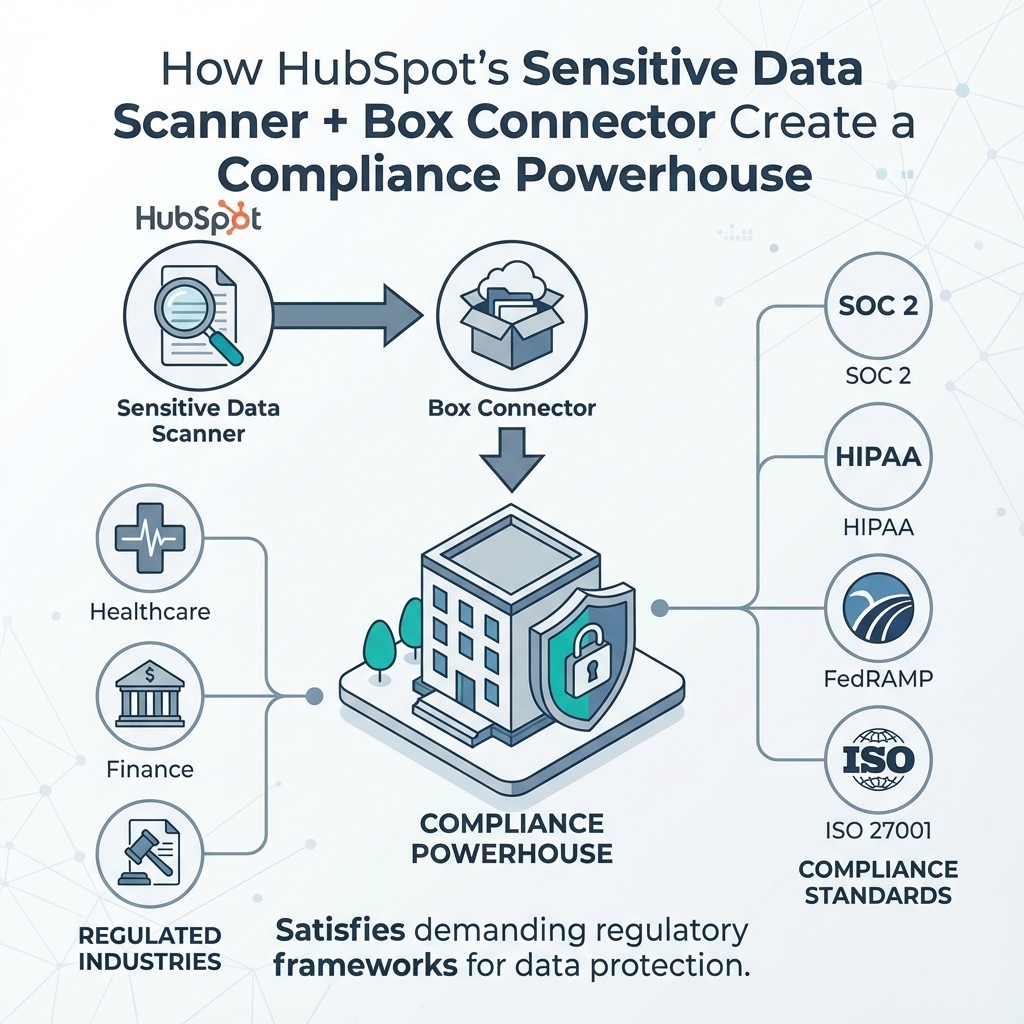
If you're in healthcare, finance, government contracting, or any regulated industry, you face a common challenge: your customers demand proof that you can protect sensitive data. SOC 2, HIPAA, FedRAMP, ISO 27001—the compliance requirements seem endless.
HubSpot is excellent for CRM and customer engagement, but it wasn't designed as a secure document vault for regulated industries. That's where the combination of HubSpot's new Sensitive Data scanning feature and Box Connector comes in: sensitive documents stay in Box, which supports demanding regulatory frameworks, while HubSpot stays your CRM.
The Problem: Sensitive Data in Your CRM
As teams use HubSpot, sensitive documents inevitably accumulate: NDAs attached to deals, patient forms uploaded by customer success, W-9s filed with company records. Soon your HubSpot account contains PHI, PII, financial data, export-controlled information, and federal contract details—all subject to different compliance requirements.
This creates compliance violations, data sprawl, and audit nightmares when you try to explain document chain-of-custody to auditors.
HubSpot's Sensitive Data Scanner: Your First Line of Defense
HubSpot's new Enterprise feature lets Super Admins scan their account to identify and permanently redact sensitive information like credit card numbers, Social Security numbers, and other regulated data. The scanner reviews 60 days of activity across emails, notes, and call transcripts, with all actions logged for compliance reviews.
This is critical for cleaning up sensitive data that accidentally entered HubSpot. But it's reactive—it finds and removes data that's already there. Your teams still need to work with sensitive documents daily.
That's where Box Connector becomes essential.
Box Connector: Keeping Sensitive Files in Box
Box Connector creates a secure bridge between HubSpot and Box's enterprise content management platform. Instead of storing sensitive documents in HubSpot, they live in Box's certified environment.
Box's Compliance Portfolio
Box maintains one of the most extensive compliance certification portfolios in the industry:
FedRAMP High Authorization: One of the most rigorous certifications available, requiring 421 security controls
HIPAA/HITECH: Business Associate Agreements and required safeguards for protected health information
SOC 2 Type II: Annual third-party audits of security, availability, and confidentiality controls
ISO 27001/27017/27018: Information security, cloud security, and PII protection
ITAR/EAR: Support for controlled technical data and export regulations
DOD SRG Impact Level 4: Authorized for high-security Department of Defense workloads
Plus: PCI DSS, IRS-1075, FINRA/SEC 17a-4, ISMAP, and numerous regional standards
How It Changes Where Sensitive Files Live
Box Connector creates a clear separation: CRM data lives in HubSpot, while sensitive documents live in Box's certified environment. Users work naturally within HubSpot but access documents stored securely in Box.
Key advantages:
Rely on Box's Certifications: Documents stay in Box, under Box's own certification portfolio. Need HIPAA? Box supports it. FedRAMP required? Box is authorized. Customer demands SOC 2? Box publishes annual reports, and SparkGrid has completed its own SOC 2 Type 2 audit.
Unified Audit Trail: Enterprise-grade logs show who accessed documents, when, from where, and what actions they took. Set retention rules, place legal holds, and automatically delete content when retention periods expire.
Advanced Security: AES 256-bit encryption at rest, TLS 1.3 in transit, granular permissions, data loss prevention, customer-managed encryption keys, and geographic controls for data sovereignty.
Simplified Audits: Clear data flow documentation, automated evidence collection, and risk reduction by keeping regulated content out of HubSpot.
The Complete Solution: Layered Defense
Using both tools together gives your compliance program four layers:
Prevention: Box Connector ensures new sensitive documents go to Box, not HubSpot
Detection: HubSpot's scanner catches any sensitive data that enters through other channels
Remediation: Detected data gets redacted, with documents moved to Box if needed
Documentation: Both systems provide audit trails proving your controls work
Real-World Compliance Scenarios
Healthcare Provider Using HubSpot for Patient Engagement
Challenge: The practice wants to use HubSpot for appointment scheduling, patient communications, and satisfaction surveys, but must maintain HIPAA compliance for medical records and patient information.
Solution: Patient demographic and contact information lives in HubSpot with appropriate consent. Medical records, insurance forms, and other PHI are stored in Box, which supports HIPAA. The care team accesses everything from the patient record in HubSpot, but sensitive documents are actually served from Box's secure environment.
Compliance Win: The practice can sign Box's Business Associate Agreement, demonstrate technical safeguards, and show auditors that PHI is kept in Box, a platform that supports HIPAA.
Government Contractor Managing Federal Contracts
Challenge: A defense contractor needs to collaborate on proposals containing Controlled Unclassified Information (CUI) and export-controlled technical data while managing customer relationships in HubSpot.
Solution: Deal tracking and government customer relationships are managed in HubSpot. All technical documents, pricing proposals, and CUI are stored in Box with FedRAMP High authorization and ITAR compliance.
Compliance Win: The contractor can demonstrate to government auditors that CUI and ITAR-controlled content never touches non-certified systems, which supports its NIST 800-171, CMMC, and export control obligations.
Financial Services Firm Managing Client Portfolios
Challenge: The firm uses HubSpot for client onboarding and relationship management but must comply with FINRA/SEC recordkeeping requirements and SOC 2 controls.
Solution: Client contact information and interaction history live in HubSpot. Account statements, trading authorizations, and other financial documents are stored in Box with SEC 17a-4 compliant retention.
Compliance Win: The firm satisfies SOC 2 audit requirements with Box's Type II report and meets FINRA's record retention and production requirements with Box's immutable storage and legal hold capabilities.
Cost Considerations: The Compliance ROI
While adding Box Connector to your tech stack has a cost, consider the alternatives:
Failed Audits: A single failed compliance audit can cost six or seven figures in remediation, delayed contracts, and reputational damage.
Lost Deals: Many regulated industry customers won't even consider vendors without proper certifications. Box's certification portfolio opens doors that would otherwise be closed.
Competing Solutions: Enterprise document signing and management platforms like DocuSign or PandaDoc can cost $5,000-$10,000+ annually per organization. Box Connector brings Box document management into HubSpot at a fraction of the cost, with files kept under Box's compliance portfolio.
DIY Approaches: Building and maintaining your own secure document management integration would cost significantly more in development and ongoing maintenance than commercial solutions.
The ROI calculation is straightforward: Box Connector costs a few thousand dollars annually and helps you pursue contracts worth hundreds of thousands or millions by keeping regulated documents in Box.
Getting Started: Implementation Considerations
If you're ready to build a HubSpot + Box architecture for regulated documents, here are key implementation steps:
1. Audit Your Current State
Run HubSpot's Sensitive Data scanner to understand what's already in your system
Identify which types of sensitive documents your teams regularly handle
Map which compliance frameworks you need to meet
2. Design Your Compliance Architecture
Define what types of content should live in HubSpot vs. Box
Create clear policies for when to use each system
Design your folder structure in Box to match your compliance requirements
3. Implement Box Connector
Install and configure the Box Connector for HubSpot
Set up the Box folder templates that match your HubSpot objects (Deals, Companies, Contacts, Tickets)
Configure automatic folder creation and permissions
4. Train Your Teams
Show users how to access Box documents from within HubSpot
Teach them which content belongs in Box vs. HubSpot
Explain the compliance reasons behind the architecture
5. Monitor and Maintain
Run periodic scans with HubSpot's Sensitive Data tool
Review Box audit logs regularly
Keep Box Connector updated to leverage new features
6. Document for Auditors
Create architecture diagrams showing data flow
Compile Box's compliance certifications and reports
Maintain procedures documentation for auditors
The Bottom Line: Compliance Doesn't Have to Be Painful
Regulatory compliance often feels like a burden that slows down your business and frustrates your team. But with the right architecture, compliance work can be nearly invisible to users while sensitive files stay protected in Box.
The combination of HubSpot's new Sensitive Data scanning and Box Connector creates exactly that: a system where your teams work naturally in HubSpot while sensitive documents stay in Box, under Box's enterprise-grade security and compliance controls.
You get:
The CRM power and user experience of HubSpot
The compliance certifications and security of Box
A seamless integration that requires minimal training
Clear documentation for audits and customer due diligence
The ability to pursue contracts in highly regulated industries
Whether you're pursuing FedRAMP authorization, handling PHI under HIPAA, meeting SOC 2 requirements, or satisfying any other framework, keeping regulated files in Box gives you a strong foundation to build on.
The question isn't whether you can afford to implement this approach. It's whether you can afford not to.
Ready to keep regulated files out of HubSpot? Box Connector provides the secure bridge between HubSpot's customer relationship management and Box's certified content platform. Box supports FedRAMP, HIPAA, ISO 27001, and dozens of other frameworks, SparkGrid has completed a SOC 2 Type 2 audit, and your files stay in Box.
Learn more about Box Connector or schedule a demo to see how it fits your security review.
Chris Eustace
CEO
@SparkGrid Software


